- Published on
CORENET X BIM Submission Tool: The Bimeco Validator
What is CORENET X
CORENET X is an integrated submission platform built through collaboration between BCA, GovTech, and URA. The CORENET X platform streamlines the submission process across key government agencies such as BCA, URA, NParks, LTA, NEA, PUB, and SCDF. Other agencies such as JTC, HDB, and SFA will be onboarded progressively.
A core innovation of the CORENET X platform is the IFC+SG data schema, which is an extension of the OpenBIM format known as IFC4. The IFC+SG data schema contains properties that capture essential information within a BIM model. This model information creates a common language to understand a building in the Singapore context, and is the key enabling technology that allows government agencies to provide consolidated approval under the CORENET X Platform.
Validating Model Data
Validating BIM models prior to BIM submissions is essential to ensure the necessary approvals are obtained on time. In our experience, the average BIM model contains up to 5,000 errors that need to be corrected. Failing to ensure that BIM models meet the data requirements of CORENET X can potentially result in Written Directions and lead to delays in obtaining the necessary permits for construction. Having a BIM validator on hand provides consultants and contractors with greater assurance in the quality of their BIM submissions.
The Bimeco Validator - Key Advantages
The Bimeco Validator is purpose-built for CORENET X submissions. It allows users to quickly validate and update BIM data to comply with CORENET X model data requirements. It is designed as an all-in-one tool prior to CORENET X submissions.
Some of the core capabilities of the Bimeco Validator include:
- ✅ Checking BIM models for missing IFC+SG parameters
- ✅ Structured data inputs that are CORENET X-compliant
- ✅ Save-in-progress and bulk-editing features to facilitate the correction of large numbers of errors
- ✅ Visualize corrections in context with an integrated BIM viewer
Some of the more exciting features to be released in Q2 2026 include:
- 🤖 AI-assistance to understand critical parameters
- 🔗 Model federation to support consolidated BIM submissions
- 🔍 Clash detection to ensure buildability
- 🔄 Bi-directional syncing with Revit
Perhaps the most important is that the Bimeco Validator is available as a free tool for anyone to use—from consultants to contractors. Once an IFC+SG file has been exported from BIM software, consultants and contractors can proceed to populate their models with the necessary values easily, and keep track of their work progress.
Step 1: Prepare and Export IFC+SG Models
From your native BIM software—such as Revit, ArchiCAD, OpenBuildings, or Tekla, you can export your BIM models in the IFC+SG format. Step-by-step export guides for each platform are available in the CORENET X documentation.
Configuring these first steps properly helps reduce the number of validation errors further down the validation process. By creating a set of BIM object libraries that are aligned to your internal design guidelines as well as CORENET X model data requirements, consultants and contractors may achieve significant time & cost advantages for future projects.
Step 2: Upload and Review Validation Results
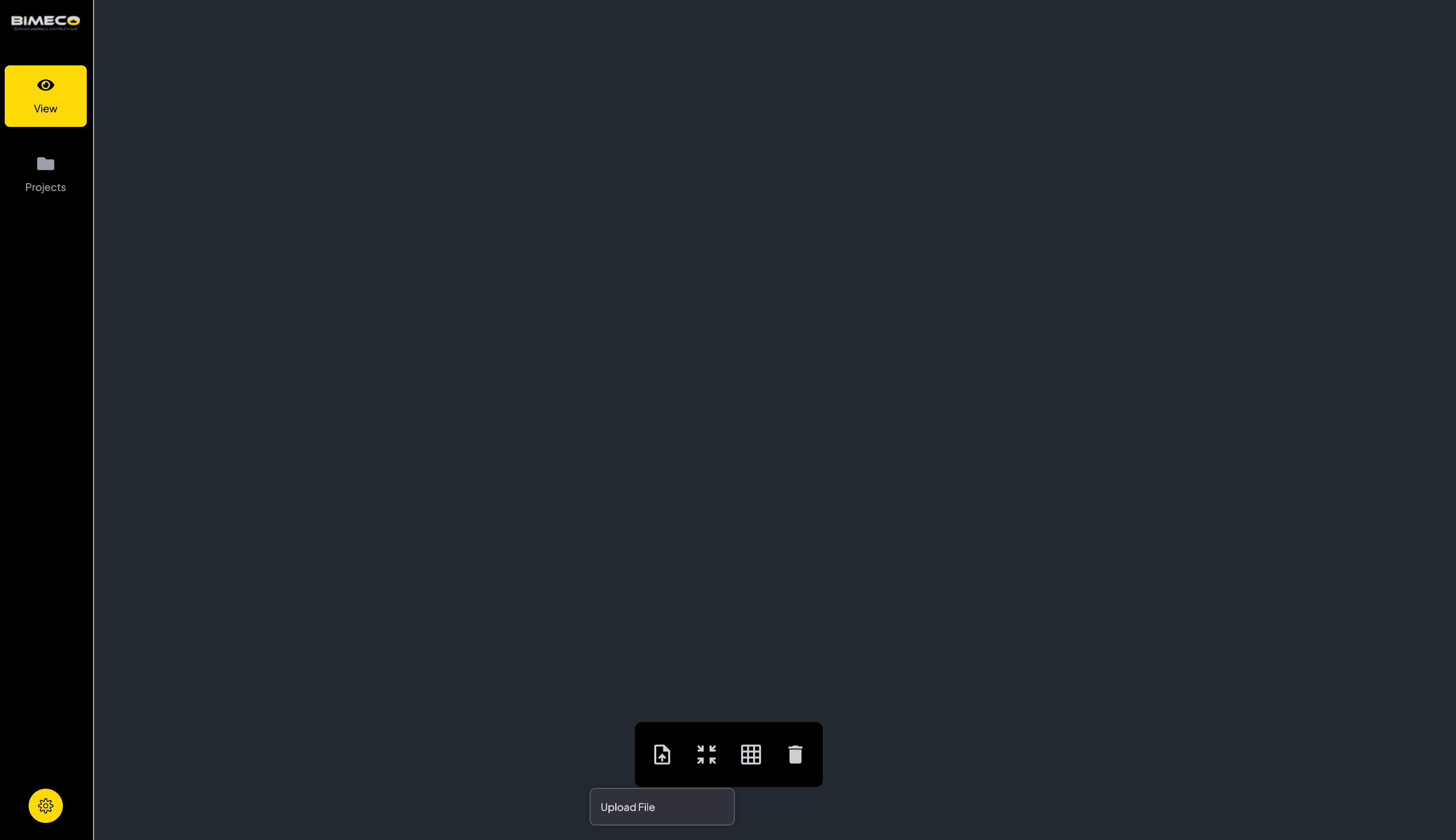
Once your IFC files are ready, upload them to the validator. This automated validation process provides a total count of the errors across the entire model.
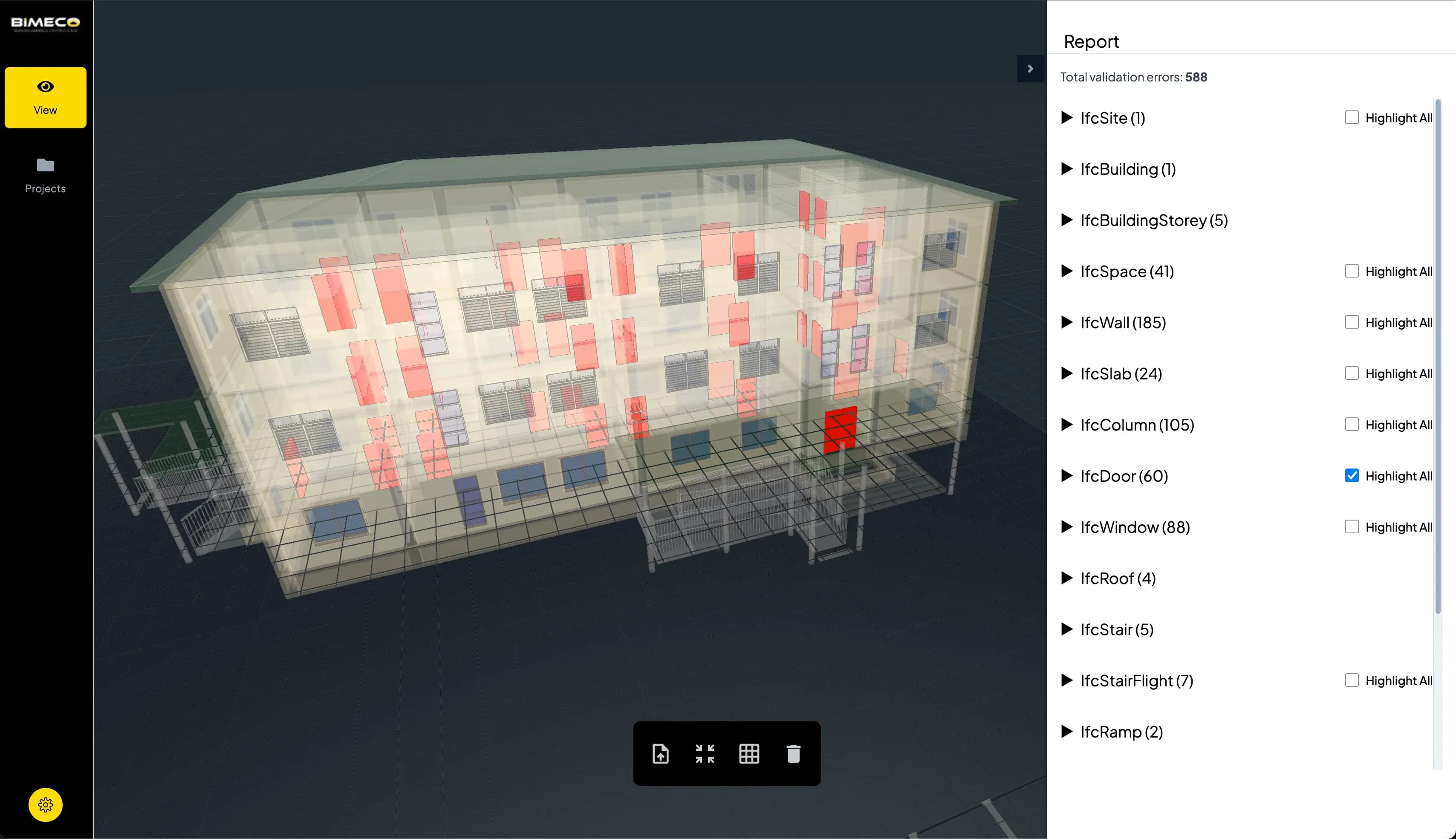
Understanding the Validation Report
The validator summarizes missing parameters and provides a detailed report showing which fields need attention and where they appear in your model. Clicking on an object's unique ID highlights it in the 3D viewer, helping you quickly locate and update the corresponding element in your BIM software.
CORENET X Gateway Requirements
CORENET X submissions consist of 3 key gateways: Design, Construction, and Completion. Each government agency has unique model data requirements for each gateway. While reducing all errors is ideal, some parameters may not be required for initial Design Gateway submissions but will be needed for later stages. Adopting an incremental approach to IFC+SG data updates is advisable to ensure timely BIM submissions.
Step 3: Fix & Update Model Data
Viewing Detailed Parameter Requirements
Clicking on each entity in the Bimeco Validator activates a detailed data view. This provides comprehensive details on the expected inputs from the various regulatory agencies. In the example below, the Bimeco Validator highlights values the authorities expect from a Slab element (i.e. BuildingElementProxy).
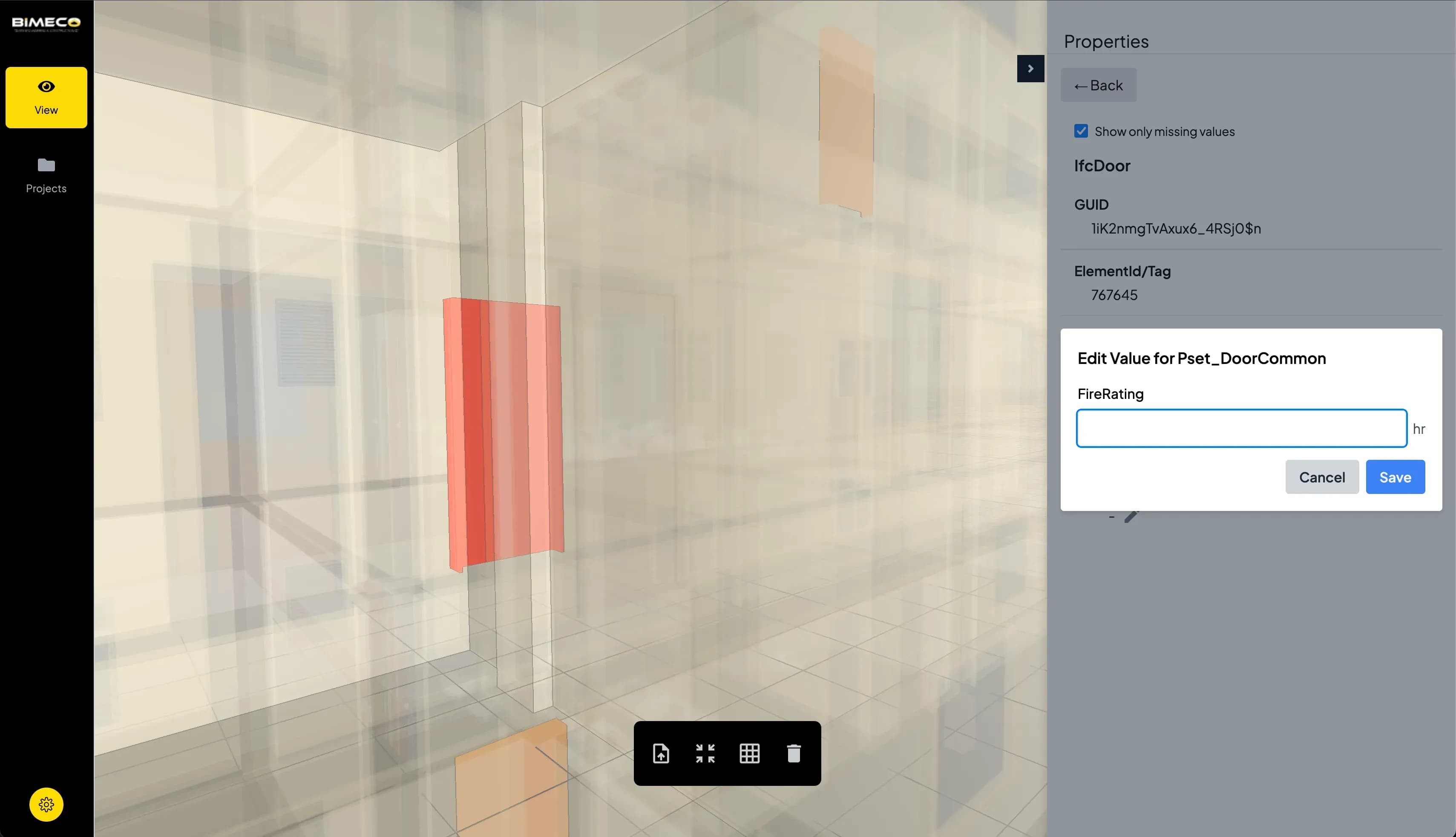
Editing Parameters Directly in the Validator
The Bimeco Validator features controlled input interfaces to ensure full compliance with CORENET X submission guidelines. By using the validator to fill in missing IFC+SG values, you can be confident they comply with the latest model content standards mandated by CORENET X.
In our benchmark tests, a typical BIM model contains up to 5,000 errors and takes up to a week to properly resolve. The Bimeco Validator includes save-in-progress features to allow consultants to resume model data updates across multiple sessions.
For projects requiring multiple contributors, the Bimeco Validator caches large information models with a database service, enabling smooth viewing and editing over a web browser—even for complex federated models.
Step 4: Submit to CORENET X Portal
Once your model includes all required IFC+SG parameters, it's ready for submission to the CORENET X Submission Portal.
Important Limitations
While the Bimeco Validator checks for the existence of mandatory IFC+SG parameters, it does not validate the correctness of the values or check for design compliance specific to each regulatory agency. Tools such as the AcePLP Model Checker are helpful in assessing your model's compliance with BCA's Code of Practice on Accessibility.
Qualified Persons remain responsible for ensuring that the overall design meets all regulatory requirements.
Future Validator Features
The Bimeco Validator is designed to help built-environment professionals validate their BIM models for full CORENET X compliance. Upcoming features include: bulk-editing, model federation, clash-detection, and more. Users who are keen on testing the Bimeco Validator can reach out to us - a dedicated BIM specialist will be assigned to work with you.
Frequently Asked Questions

Related Articles
BIM Implementation in Singapore: A Practical Guide for Subcontractors
A practical guide for MEP subcontractors adopting BIM in Singapore. Learn workflows, costs, and CORENET X requirements for 2026 compliance.
CORENET X BIM Requirements & Timeline [2026 Guide]
CORENET guide for Singapore building approvals. Learn CORENET X, IFC+SG requirements, and mandatory BIM submission preparation.
Benefits of BIM in Data Center Design & Delivery
Learn how BIM improves data center design, construction, and operations — from MEP coordination to digital twins. Reduce rework, accelerate delivery, and improve uptime for mission-critical facilities.