
- Published on
BIM in Construction: A Practical Guide for Contractors
Contractors are often skeptical about BIM. The benefits aren't clear, the costs seem high, and most online content doesn't explain why BIM matters to contractors, or how to actually make it work.
This guide cuts through the noise. We'll focus on practical workflows that help contractors adopt BIM without the usual headaches.
What is BIM?
Building Information Modeling (BIM) is a digital representation of the physical and functional characteristics of a facility. Think of it as a 3D model with embedded data: not just geometry, but information about materials, equipment specs, installation details, and more.
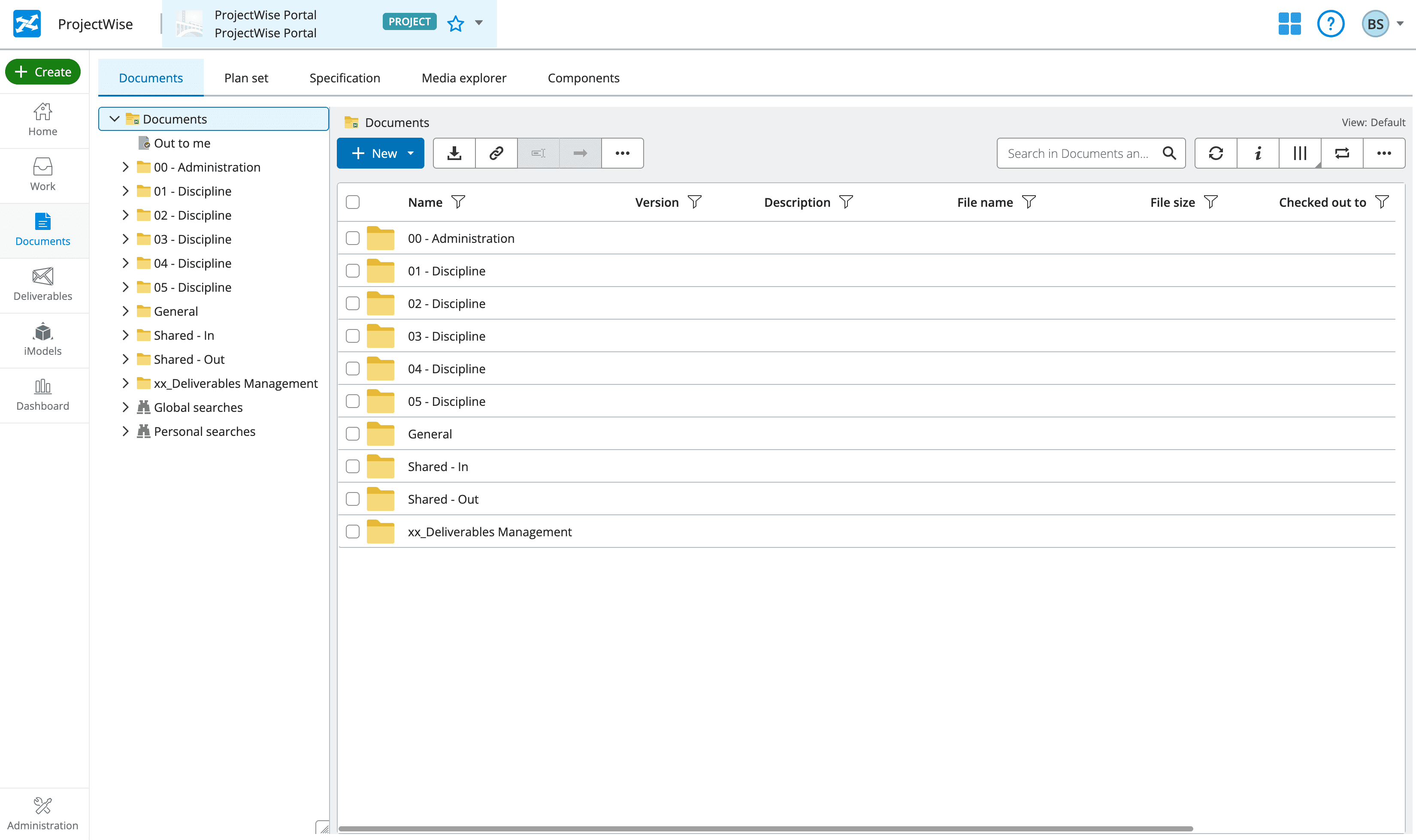
In practice, consultants, general contractors, and trade contractors work within a Common Data Environment to exchange model files. This lets project teams "build twice": first virtually, then physically. Virtual construction helps catch issues like hard clashes, scheduling issues, or design non-compliance they become expensive problems at the site.
At project completion, the as-built BIM model can be handover to Facility Management teams to act as a source of truth for building & asset management.
Why It Matters Now
Since 2015, the Building & Construction Authority (BCA) has mandated BIM for all public sector projects and private sector projects above 5000sqm. By 2026, expect all new building works to require BIM for regulatory approval in line with the implementation of CORENET X. This push is part of Singapore's broader Integrated Digital Delivery (IDD) framework, which aims to digitize the entire project lifecycle from design through to facility management.
Despite this regulatory push, a significant share of engineering and detailing work is still done using 2D CAD drawings. CAD remains the preferred mode of communicating construction intent by industry practitioners due to the limitations of 3D software in capturing details like annotations, tags, and connections.
However, with CORENET X, there is a clear push to digitize the built-environment industry with BIM technology. Not many contractors have the resources needed to secure the people and technology to comply with these requirements, nor take full advantage of this technology to improve project execution.
What Does It Cost?
The cost of BIM adoption falls into three buckets: software, people, and training.
On the software side, an authoring tool like Revit runs about S$4000/yr per seat. Coordination platforms like BIMcollab or Navisworks add to the bill, though some offer tiered pricing that works for smaller teams. Cloud-based Common Data Environments (Autodesk Construction Cloud, ProjectWise) carry their own subscription costs depending on project size.
People are usually the biggest line item. Skilled BIM coordinators and modelers are in demand, and hiring or outsourcing this capability isn't cheap. For contractors who don't have an in-house team, engaging a BIM consultant can bridge the gap without the overhead of a full-time hire.
Then there's training — the cost that gets underestimated the most. Getting site teams comfortable with model-based workflows takes time, and productivity dips before it improves. But the payoff is real: fewer RFIs, less rework, and better control over variation orders. For a detailed breakdown of costs across project types, see our full BIM cost guide.
BIM Use Cases
The built-environment sector has struggled to improve its productivity for the longest time, with its reliance on cheap foreign labour to drive output. However, Singapore is moving towards high-value industries, and that drives government policy in driving technology adoption and increasing costs for engaging foreign manpower (through the introduction of manpower quotas).
Instead of fighting pointlessly against the current, contractors can take the opportunity to evaluate how this technology can be used to transform their productivity. In the hundreds of BIM projects that we have observed, the benefits of BIM can be boiled down to the following:
Enhanced Coordination
When the base model has been released by the project consultant, that's where the work comes in. The Architectural and Structural models establish the foundation from which contractors can determine the build sequence in terms of overlaying their specific trade (i.e. M&E Routing, Fire Protection, Plumbing). This ensures the functional requirements of the building are met while complying with the design & safety intent. Where there are clashes, a contractor would know to re-route MEP services and obtain the necessary approvals ahead of time - helping to avoid dreaded project delays or liability issues. For a more detailed walkthrough of how this coordination process works on a typical project, see our contractor BIM workflow guide.
Improved Execution
With 4D BIM sequencing, BIM models can be combined with project schedules to help contractors visualize complex construction sequences. For complex infrastructure projects (imagine LTA train stations), it allows main contractors to coordinate the installation of building services and share this information with all project stakeholders. In some projects, the authority may also require a 4D BIM submission (which contains a time-element) as a means for the contractor to demonstrate their understanding of the project requirements.
When a comprehensive BIM object library has been built, it also allows for easy quantity takeoff, allowing contractors to create rapid cost & material schedules. Common targets for BIM object libraries include: Air Handling Units, Sanitary fixtures, Fire dampers, Precast panels, formwork systems, steel connections, and more. The 5D BIM Quantity takeoff can be performed as part of the Construction Documentation submission, allowing contractors to control project costs.
Project Control
There are always liability concerns involved in any building project. Any change must be properly documented through a system of Requests for Information (RFIs) or Variation Orders (VOs). A Common Data Environment like Autodesk Construction Cloud or Bentley Infrastructure Cloud allows for all information exchange to be documented. This helps main contractors manage the huge volume of information exchanged during a project, and can be a helpful trail of information when required.
In some situations, a LIDAR scan can be accompanied by BIM models to keep track of project progress and assess for building defects. A Common Data Environment would allow geographically separate teams of engineering consultants and site workers to assess the build quality, and make changes where necessary. In some projects, the as-built progress becomes the means of payment claims for works done by contractors.
How to Get Started
Any new technology implementation should be approached with care. While BIM adoption may help advance productivity in the long run, there may be short-term pains that project managers need to account for.
BIM fundamentally requires the active participation of all parties. The biggest challenge is usually getting internal and external stakeholders aligned on a technology that only works when everyone is on board.
Building a Base
In a growing number of projects, architects and consultants are releasing LOD 300 BIM models as part of the tender documents. Contractors should reference these models to determine key aspects of the project such as its overall structure, floor area, and volume. This is the foundation from which a higher LOD BIM is developed for the construction & fabrication phase (when off-site fabrication is implemented).
In some cases, the tender documents may not include BIM models, in which case it would be worth the effort to develop a low LOD BIM model from design drawings & plans.
Project Coordination
Where possible, a LOD 350 BIM model should be made available to all project parties at the soonest possible date. The Construction model allows trade contractors to coordinate the routing of key services such as lighting, plumbing, ACMV, or fire protection services, and prevent them from clashing with one another. The focus in this stage is to ensure that the general routing of the services is sound, before adding additional layers of detail like pipe dimensions.
Only when the trades are properly coordinated at a sufficiently high level of detail should it then be used as the reference for developing detailed shop drawings for use at site or as part of document submissions.
Preparing for Handover
The Employer's Information Requirement typically specifies the level of information that is required as part of the handover documents. These requirements may vary between regulatory agencies or private sector candidates. In Singapore, model information requirements typically have to comply with the Code of Practice for CORENET X, a multi-agency framework that defines how building data should be structured. Depending on the profile of the owners, additional document management practices may apply, and it is worth looking closely at the tender documentation.
Common Pitfalls
These are the mistakes that cost contractors the most time and money when adopting BIM:
Starting Too Late in the Project
BIM delivers the most value during pre-construction coordination. If you only start modeling after trades have been awarded, you've already missed the window for catching clashes early. Get the base model up as soon as tender documents are available.
Not Aligning on CDE with Consultants
Every party dumping files into different folders or platforms creates chaos. Agree on the Common Data Environment, naming conventions, and exchange protocols at project kickoff — not halfway through construction.
Treating BIM as One Person's Job
BIM coordination only works when all trades participate. If only the M&E contractor is modeling while the structural team is still on 2D, you'll end up with an incomplete model and unresolved clashes. It has to be a project-wide commitment. Again, setting these expectations early and documenting them with a BIM Execution Plan can be helpful.
Choosing the Right Tools
There are two categories of BIM software that contractors need to think about: authoring tools and coordination platforms.
Authoring Tools
Authoring tools are what you use to create and edit 3D models. Revit is the most common in Singapore for architecture and MEP work. Tekla Structures is the go-to for structural steel and precast. On the other hand, ArchiCAD is quite popular amongst Architects.
Regardless of their respective tool preferences, the growing adoption of OpenBIM as an open data exchange protocol should address information exchange challenges.
Coordination Platforms
Coordination platforms are where models from different trades come together for clash detection and review. BIMcollab is lightweight and works well for issue tracking. Navisworks handles large federated models. Solibri is strong on rule-based checking, which is increasingly relevant for CORENET X compliance. Other CDE Platforms like Autodesk Construction Cloud or ProjectWise are also common in vertical and horizontal projects.
Most contractors need at least one from each category. The key is matching the tools to your project requirements and team capability — don't over-invest in software your team can't use effectively. For a detailed comparison of options, see our BIM software guide for contractors.
Staying Ahead
BIM is already mandated in heavily regulated economies like Singapore. Investing in these capabilities now opens up opportunities that less digitally savvy players can't access. In fact, BIM is more than just a compliance cost. The contractors who treat it as a workflow upgrade, not a box-ticking exercise, will be the ones winning better projects and delivering them profitably.
Frequently Asked Questions

Related Articles
BIM Execution Plan Template for Singapore Projects: Free Download (CORENET X Ready)
Download a free BIM Execution Plan template built for Singapore projects. 32-page PDF covering CORENET X workflow, IFC+SG, clash detection, ISO 19650 CDE, and LOD progression.
What Does a BIM Consultant Do for an Architect or Engineer in Singapore? (2025)
Full scope of a BIM consultant on architect and engineering consultant projects in Singapore — covering EIR authoring, Design Gateway CORENET X, clash coordination at design stage, and handover strategy.
What Does a BIM Consultant Do for a Main Contractor in Singapore? (2025)
Full scope of a BIM consultant on Singapore main contractor projects — covering BEP, clash detection, CORENET X, 4D/5D/6D BIM, and as-built handover.